Start or open the estimate
Set up the job in the browser-based software and establish the estimate you will build from the plans.

Sanitized Small Commercial Office Renovation demo.
 Electrical Estimating Software
How Red Rhino works
Follow a practical estimating process that keeps project sections, material, labor, review, and customer-ready output connected.
The practical details
Set up the job in the browser-based software and establish the estimate you will build from the plans.
Sanitized Small Commercial Office Renovation demo.
Create sections that reflect the way you intend to take off and review the job.

Sanitized Small Commercial Office Renovation demo.
Review the plans, enter quantities manually, and use products, assemblies, and labor units to develop the estimate.
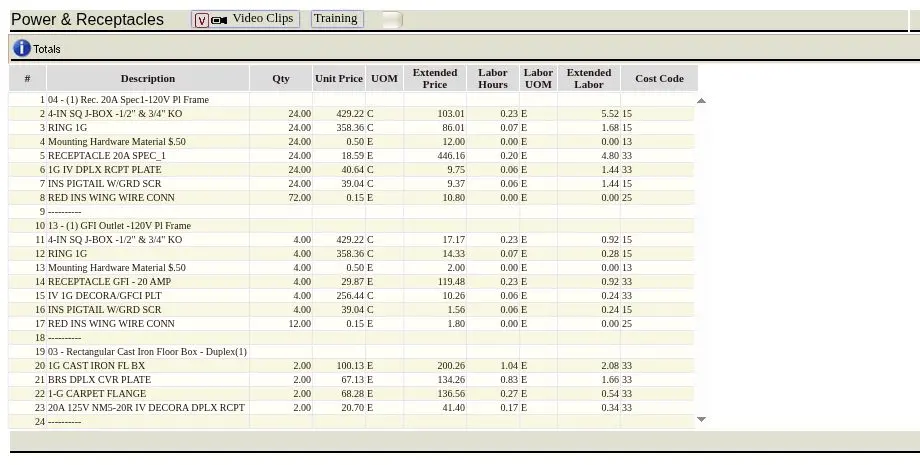
Sanitized Small Commercial Office Renovation demo.
Enter current vendor prices or quotes when available, then review the complete estimate recap before finalizing the bid.
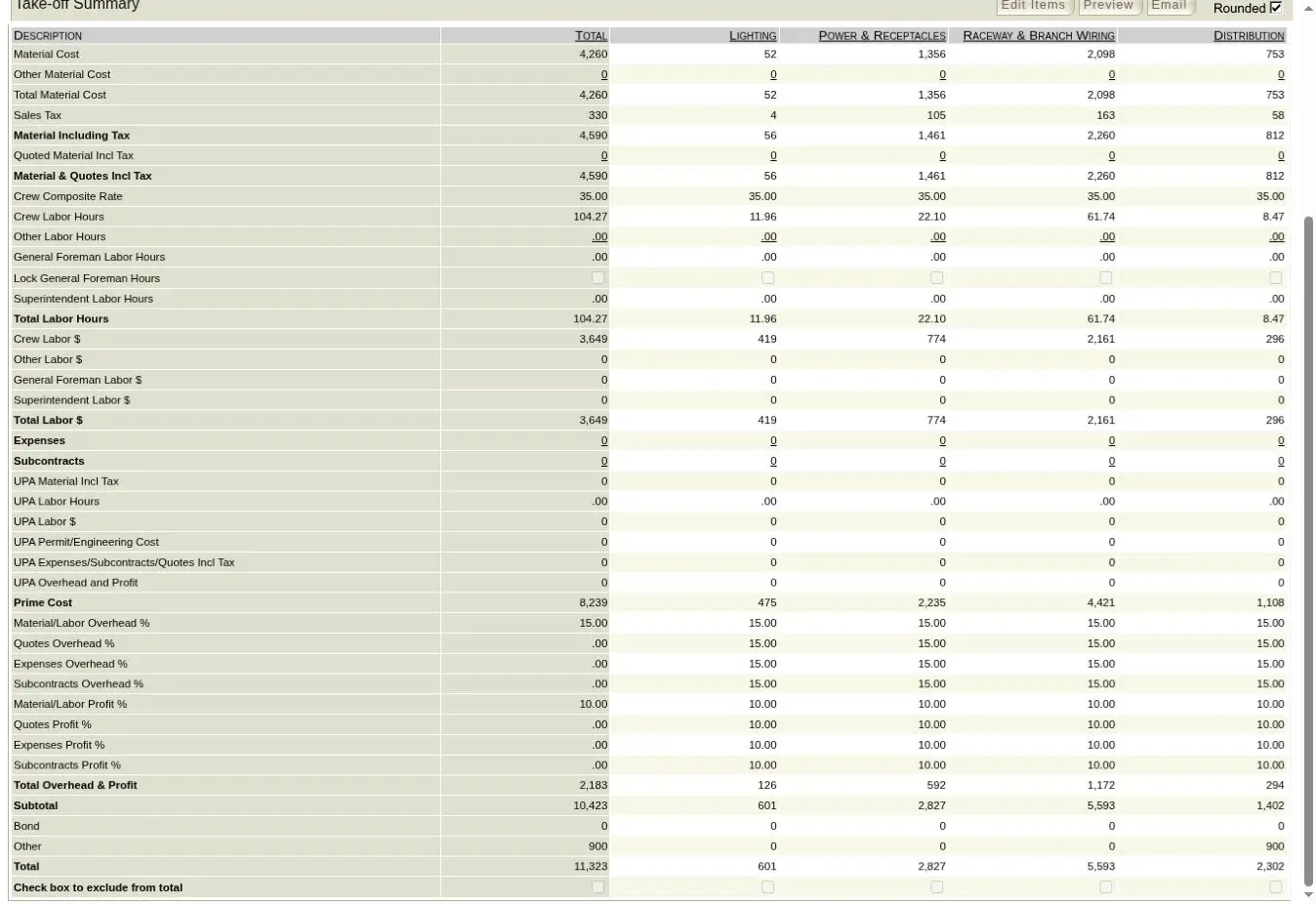
Sanitized Small Commercial Office Renovation demo.
Use the reviewed estimate to prepare the customer-facing scope and finished proposal.
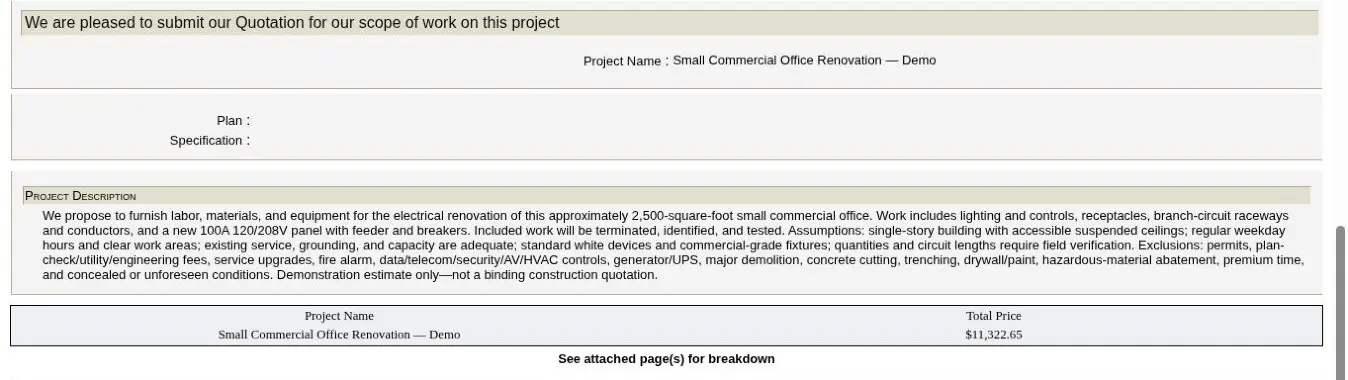
Sanitized Small Commercial Office Renovation demo.
Try the real workflow
Explore Red Rhino for 14 days. No credit card required.
Try the Red Rhino workflow