Electrical estimating software that keeps your bid workflow connected.
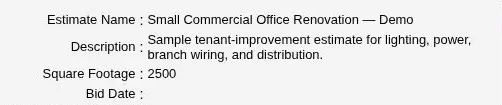
Enter the quantities you count or measure on the plans. In Red Rhino, price materials and labor by job section, review overhead and profit in the bid recap, and prepare the customer’s proposal from the same estimate.
A useful estimating system should match how your company reviews plans, builds scope, checks costs, and sends bids.
✓
Red Rhino may be a strong fit if
You want control without enterprise complexity.
You are an electrical contractor or owner-estimator.
You review the plans and perform your own takeoff.
You want products, assemblies, labor, and pricing organized.
You need a clear recap before setting overhead and profit.
You want proposals connected to the completed estimate.
—
Consider a different tool if
You need the software to replace plan review.
You need automatic or AI plan takeoff today.
You want a full field-service or dispatch platform.
You expect generic material pricing to replace vendor quotes.
You need an offline desktop-only estimating system.
You do not want to review and control the bid details.
The estimate, connected
Keep the estimate’s working parts connected.
Build a repeatable process without losing the judgment that belongs with the estimator.
01
Products & assemblies
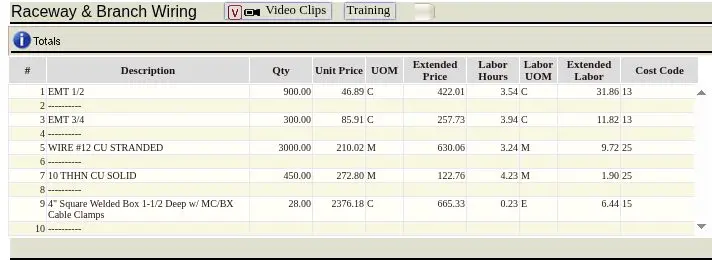
Build assemblies for work you repeat. For a conduit run, enter the measured length in Red Rhino’s conduit wizard, choose the conduit and conductors, and check the fittings and support spacing.
02
Labor units
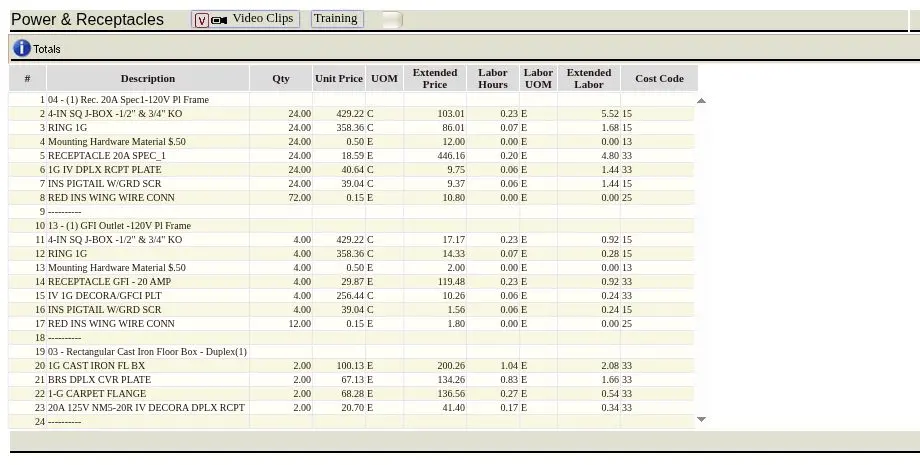
Carry installation labor with takeoff items so labor is visible and reviewable as the estimate develops.
03
Material pricing
Use generic prices as a starting reference, then manually enter vendor prices or quotes for current job-specific material costs.
04
Estimate recap
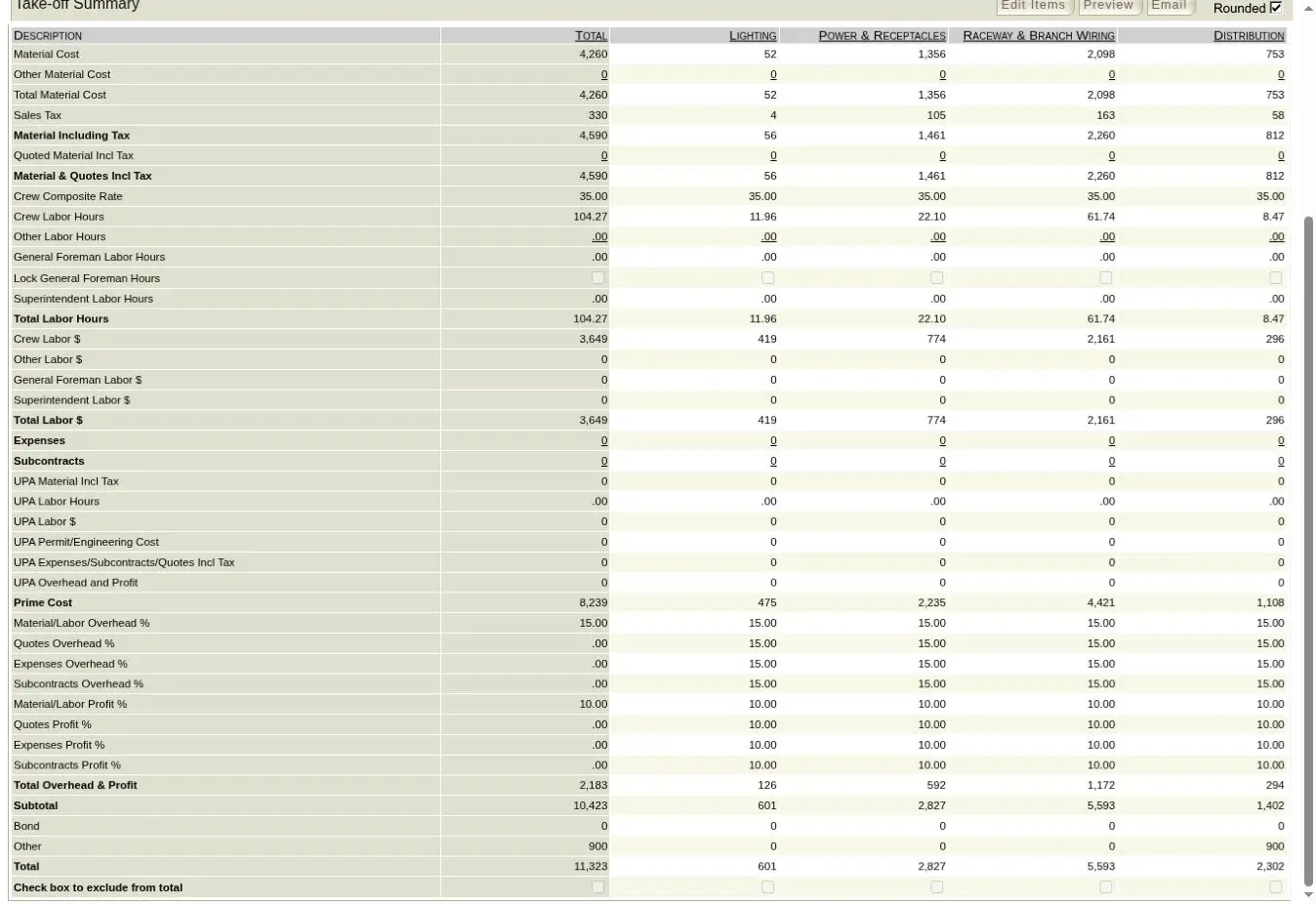
Review material, labor, job expenses, overhead, profit, and the factors that determine the final bid.
05
Professional proposals
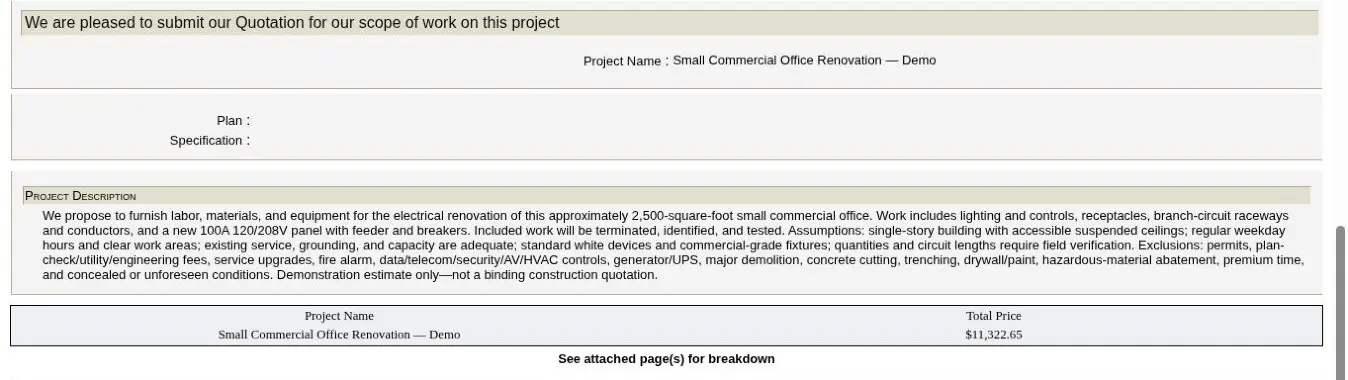
Prepare the customer-facing proposal from the estimate without re-entering the project in another document.
06
Browser-based access
Use Red Rhino online through a web browser, with no desktop software download required.
Estimator-controlled by design
The estimator reviews the plans, controls the scope, and decides what belongs in the bid.
A practical manual workflow from takeoff through proposal
Clear product boundaries
Software that supports the estimating process.
Manual plan review and takeoff entry
Vendor pricing and quotes entered by the estimator
Material, labor, overhead, and profit reviewed before proposal
Red Rhino is browser-based electrical estimating software for organizing project sections, takeoff quantities, products, assemblies, labor units, material costs, estimate recap, and proposals in one workflow.
Who is Red Rhino suited for?
It is designed for electrical contractors and owner-estimators who review their own plans and want a structured system for building and checking bids.
Does Red Rhino automatically perform plan takeoff?
No. Red Rhino does not currently perform automatic or AI plan takeoff. The estimator reviews the plans and enters the takeoff, then uses Red Rhino to organize and complete the estimate.
How does the free trial work?
The current trial lasts 14 days and does not require a credit card. It lets you evaluate the Red Rhino workflow before subscribing. Your trial does not automatically become a paid subscription.
How much does Red Rhino cost?
Current published pricing is $99 per month for one license or $198 per month for two licenses, plus a one-time $175 setup fee. Paid plans are month to month.
How should I use Red Rhino’s generic material pricing?
Generic pricing should be treated as a ballpark reference. Enter current prices and quotes from your vendors for job-specific material costs.
Do I need to download software?
No desktop download is required. Red Rhino is cloud based and is accessed online through an internet browser.
Build the next estimate in one connected system
See whether Red Rhino fits the way you bid.
Start with 14 days of access. No credit card. No long-term contract.
 Electrical Estimating Software